
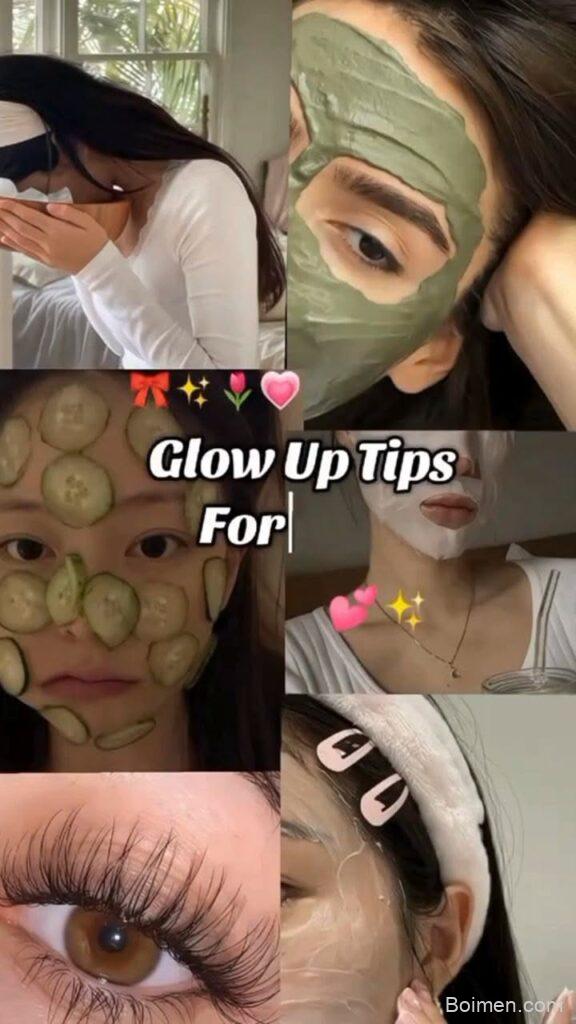
Imagine a pin that stops the scroll, gets saved, and drives traffic to your site—even weeks later. That’s the power of a well-designed Pinterest image. In this guide, I’ll share my favorite playful prompts, concrete design rules, and real-world examples to help you craft pins that pop.
Advertisements1
- Vertical pins (2:3) outperform horizontal ones.
- Text overlay should be short, specific, and readable on mobile.
- Use high-contrast colors and real faces to boost engagement.
- Test multiple versions and use analytics to guide your design.
- Avoid clutter: keep it simple and focused on one message.
- Always add alt text and a keyword-rich description.
Why Pinterest Images Matter More Than You Think
Pinterest is a visual search engine, not a social platform. The image is your first and only chance to make a good impression. A compelling pin can get thousands of repins, while a dull one gets lost in the feed. I’ve seen pins with simple, bold text outperform fancy graphics simply because they were clear and clickable. Your image is your billboard—make it count.
The Anatomy of a High-Performing Pin
A great pin has three key elements: a vertical aspect ratio (2:3 or 1000x1500px), bold and readable text overlay, and a clear subject. The text should tell the viewer what they’ll get, like '10 Easy Vegan Dinners' or 'How to Grow Roses from Cuttings.' Use high-contrast colors and ensure the image is sharp. I always check my pins on a phone screen—if I can’t read it, I redesign.
Design Tips That Actually Work
Stick to 2-3 fonts max, use a consistent brand color palette, and leave whitespace for breathing room. Overlaying text on a busy photo? Add a semi-transparent overlay or a colored box behind the text. Tools like Canva or PicMonkey have pre-sized Pinterest templates. I’ve found that using a photo of a real person (especially making eye contact) boosts engagement—our eyes naturally gravitate to faces.
Text Overlay: What to Write and What to Avoid
Your overlay should be a promise, not a mystery. Avoid vague phrases like 'You won’t believe this!' Instead, be specific: '5-Minute Morning Stretch for Back Pain.' Use action verbs and numbers. Keep it under 6-8 words for readability. And always use a font that’s easy to read—no thin cursive. I often test my text by squinting: if it’s blurry, it’s probably too busy.
How to Test and Optimize Your Pins
Don’t guess—test. Create multiple versions of the same pin (different images, text, or colors) and pin them at different times. Use Pinterest Analytics to see which gets more saves and clicks. I’ve found that pins with a clear call-to-action (like 'Save this for later') perform better. Also, try updating old pins with fresh images—it’s like giving them a second life.
Common Pinterest Image Mistakes to Avoid
The biggest mistake is using a horizontal image—it gets cropped and looks tiny. Another is overloading with text; if it’s too much, people scroll past. Avoid using low-resolution images, which look blurry. And don’t forget to add alt text and a keyword-rich description. I once had a pin that got zero clicks because the image was too dark—lesson learned.
How to Do It, Step by Step
- 1Choose a vertical format
Pinterest favors 2:3 aspect ratio (1000x1500px). This takes up more screen space and increases visibility. - 2Create a compelling text overlay
Use 3-6 words that promise a benefit, like '5 Easy Breakfast Ideas.' Make it readable on mobile. - 3Use high-quality images
Pick clear, bright photos with a focal point. Avoid busy backgrounds that distract from your message. - 4Add your brand logo
Place a small logo in a corner to build brand recognition, but don’t let it dominate the pin. - 5Test multiple designs
Create 2-3 variations and pin them at different times. Track which gets more saves and clicks, then refine. - 6Optimize your pin description
Use relevant keywords and a call-to-action like 'Save this for later' to encourage engagement.
A pin is a promise—make it clear, make it pretty, and make it worth the click.
Frequently Asked Questions
What is the best size for a Pinterest image?
The ideal size is 1000 x 1500 pixels (2:3 ratio). This ensures your pin displays fully and takes up ample space in the feed.
How much text should I put on a Pinterest pin?
Keep text overlay under 6-8 words. Too much text makes the pin cluttered and hard to read on mobile.
Can I use any image for Pinterest?
You should use high-resolution, vertical images that are relevant to your content. Avoid blurry or copyrighted images without permission.
How often should I create new Pinterest images?
Create new pins for your best content every few weeks. Updating old pins with fresh images can also revive their performance.

Priya explores creative writing prompts and storytelling techniques for aspiring authors. She shares exercises to spark imagination and build narrative confidence, drawn from her own writing practice.


Leave a Comment