
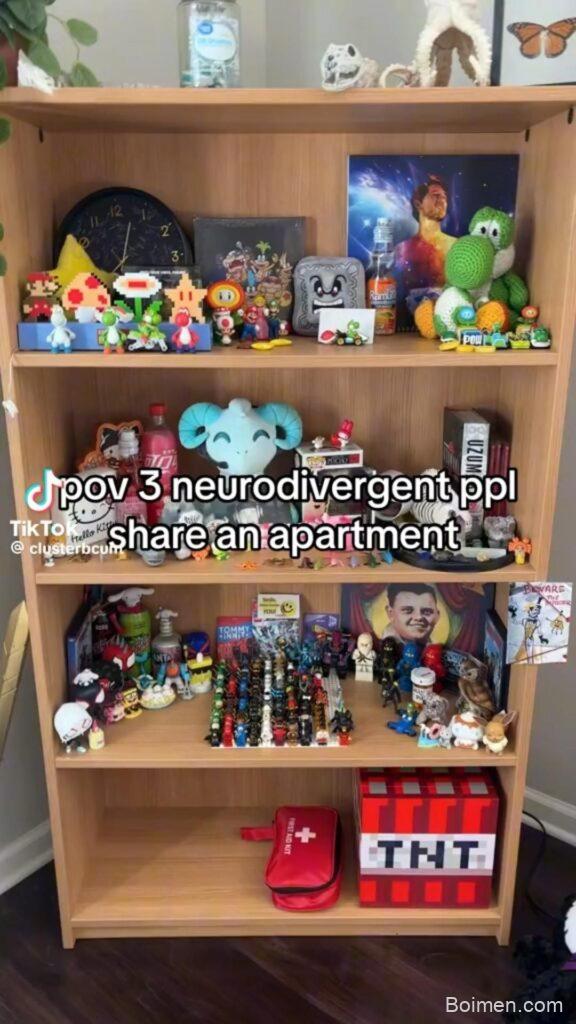
I still remember the afternoon my son Milo lined up every single one of his dinosaur figures on the living room rug, then looked up and said, “Mom, this is my thinking row.” I had no idea what to do with that. I just sat down on the floor next to him and stared at the row. That was the day I stopped treating his quirks as problems to fix and started looking for tools that worked with his brain instead of against it. That’s what I mean by awetism maxxing: not changing who you are, just quietly stacking small supports so the day feels a little less loud. Here are 20 things I actually use, plus a few bonus finds.
Advertisements1
Table of Contents(Click to Toggle)
Why Awetism Maxxing Is Worth Your Time
Awetism maxxing is one of those phrases that sounds like a joke until you live it. For me, it means taking the parts of an autistic or ADHD-ish brain that already work well and giving them better equipment. Not masking. Not fixing. Just stacking small tools until the day runs smoother than it did last week.
I started this list after a rough Tuesday when I forgot three appointments, lost my keys twice, and cried in the car. I didn’t need a life overhaul. I needed a timer, a body double, and a noise machine. That’s it. So I tested a pile of apps and devices over the last year, kept the ones that survived real life, and I’m sharing them here. Progress over perfection, always.
20 Awetism Maxxing Tools
1. Tiimo : Visual planner built for neurodivergent brains
What it is: A visual daily planner that turns your schedule into colorful, time-blocked cards.
Category: Planning and routines
Why it stands out:
- Uses icons and colors instead of dense text, so you can see your day at a glance.
- Built with input from autistic and ADHD users, not retrofitted from a generic calendar.
- Works on phone and watch, which matters when you’re already overwhelmed.
Best for: Anyone who loses track of time between tasks and needs a gentle visual nudge.
2. Goblin Tools : Breaks scary tasks into tiny steps
What it is: A free suite of small AI tools that split big tasks into manageable pieces.
Category: Task management
Why it stands out:
- The “Magic ToDo” tool turns “clean the kitchen” into eight clear steps you can actually start.
- There’s also a tone adjuster for emails, which has saved me from sounding blunt more than once.
- No account required to try the basic tools, which is a relief on low-energy days.
Best for: People who freeze when a task feels too big to begin.
3. Loops : Body-doubling sessions without the pressure
What it is: A platform for joining live or recorded focus sessions with other people.
Category: Focus and accountability
Why it stands out:
- You can keep your camera off and just work alongside others, which lowers the social cost.
- Sessions are short and scheduled, so you don’t have to negotiate with yourself about when to start.
- The chat is optional, which matters if talking feels like too much that day.
Best for: Folks who get more done when someone else is quietly working too.
4. Hiki : A social app made by and for autistic people
What it is: A friendship and community app where autistic adults can connect around shared interests.
Category: Community
Why it stands out:
- Profiles center on interests and communication preferences instead of small talk.
- There’s a clear emphasis on consent and low-pressure interaction.
- It fills a real gap: most social apps assume neurotypical social rules.
Best for: Adults who want connection without masking through every conversation.
5. Otter.ai : Turns meetings into searchable notes
What it is: An AI transcription tool that records and summarizes meetings or voice notes.
Category: Memory support
Why it stands out:
- Live transcription means I can read what was said instead of trying to hold it all in my head.
- Automatic summaries help me catch action items I would have missed.
- Works with common video call platforms, so it fits into most work setups.
Best for: Anyone who processes better in writing than in real time.
6. Mighty Networks : Build a small community that gets you
What it is: A platform for hosting your own community space with courses and events.
Category: Community building
Why it stands out:
- You control the rules, so you can design a space that isn’t exhausting.
- Supports subgroups, which helps when a big group feels like too much.
- Good for turning a special interest into a shared project with others.
Best for: People who want to start a niche group around a deep interest.
7. Flown : Guided deep-work sessions on a schedule
What it is: A membership with live facilitated focus sessions throughout the day.
Category: Focus and accountability
Why it stands out:
- Sessions have a host, so you don’t have to self-start from zero.
- There are breaks built in, which helps me avoid the crash after hyperfocus.
- The library of past sessions means you can join even at odd hours.
Best for: Remote workers who miss the structure of an office day.
8. Focusmate : One-on-one accountability, on demand
What it is: A service that pairs you with a stranger for a 25, 50, or 75-minute work session.
Category: Focus and accountability
Why it stands out:
- You state your goal at the start and check in at the end, which creates gentle pressure.
- Sessions run around the clock, so there’s almost always someone available.
- Free tier available, which makes it easy to test before committing.
Best for: Task initiation struggles and anyone who works better with a witness.
9. Forest : Grow a tree while you stay off your phone
What it is: A focus app that plants a virtual tree when you start a timer and lets it wither if you leave.
Category: Focus
Why it stands out:
- The visual reward is simple and satisfying, which keeps me coming back.
- You can earn coins and plant real trees through a partner program.
- Works across phone and browser extensions.
Best for: People who need a tangible reason to put the phone down.
10. Endel : Adaptive soundscapes for focus and rest
What it is: An app that generates personalized soundscapes based on time of day and context.
Category: Sensory regulation
Why it stands out:
- Sound adapts in real time, so it never loops in a way that grates on me.
- Modes for focus, relaxation, and sleep cover most of my day.
- Works with headphones or a speaker, and integrates with some smart devices.
Best for: Anyone sensitive to sudden noise or silence that feels too loud.
11. Brain.fm : Music engineered for concentration
What it is: A music service designed to support focus, relaxation, and sleep through rhythmic audio.
Category: Sensory regulation
Why it stands out:
- Tracks are built with specific neural phase-locking in mind, which is unusual for a music app.
- You can set a timer and let it fade out, which helps me transition tasks.
- Offline downloads are handy for travel days.
Best for: People who find lyrics distracting but need more than silence.
12. MyNoise : Custom noise generators you can fine-tune
What it is: A free website with dozens of adjustable sound generators, from rain to cafe chatter.
Category: Sensory regulation
Why it stands out:
- Each generator has sliders, so you can dial in exactly the frequencies you need.
- Runs in a browser with no account required, which is perfect for quick use.
- Huge library means you can find something for almost any sensory preference.
Best for: People who need masking noise for sleep, work, or overstimulating environments.
13. Muse : A headband that guides calm with sound
What it is: A consumer EEG headband paired with an app that gives audio feedback on your mental state.
Category: Nervous system regulation
Why it stands out:
- Real-time feedback turns breathing exercises into something more concrete.
- Sessions are short, which fits a low-capacity day.
- Pairs with guided meditations and sleep stories.
Best for: Anyone who has tried meditation apps and felt like nothing was happening.
14. Bearable : Track symptoms, mood, and habits in one place
What it is: A health tracking app that lets you log mood, sleep, energy, and custom factors.
Category: Self-tracking
Why it stands out:
- You can build your own trackers, so it fits sensory or routine needs rather than forcing a template.
- Correlation views help you spot patterns over weeks.
- Export options make it easier to bring notes to appointments.
Best for: People who want data about their own patterns without a clinical feel.
15. Finch : A self-care pet that grows with your habits
What it is: A gamified self-care app where you care for a virtual bird by completing small daily goals.
Category: Habit building
Why it stands out:
- The pet metaphor makes basic tasks feel less like chores.
- You can set goals as small as “drink water” or “step outside.”
- Reflection prompts help you notice what actually helped that day.
Best for: Anyone who needs warmth and playfulness to keep routines going.
16. Sunsama : A daily planner that respects your energy
What it is: A calm daily planning app that pulls tasks from other tools into one realistic day.
Category: Planning and routines
Why it stands out:
- It asks how much time tasks really take, which stops me from over-scheduling.
- Integrates with calendars and task apps so you’re not duplicating work.
- Has a shutdown ritual that helps me actually stop at the end of the day.
Best for: People who plan too much and then feel bad about it.
17. Structured : Your day as a visual timeline
What it is: A day planner that shows tasks, events, and routines on a single vertical timeline.
Category: Planning and routines
Why it stands out:
- The timeline view makes gaps and overlaps obvious at a glance.
- You can add icons and colors to make categories pop.
- Syncs across devices and supports widgets.
Best for: Visual thinkers who need to see time, not just read it.
18. Sanvello : Everyday coping tools in your pocket
What it is: An app with mood tracking, guided exercises, and coaching options.
Category: Emotional regulation
Why it stands out:
- Short exercises fit into a sensory overload moment without a big time commitment.
- Mood tracking is simple enough to keep up with on hard days.
- Some insurance plans cover the premium tier, which is worth checking.
Best for: People who want structured coping tools without a heavy clinical tone.
19. Notion : A second brain you can shape yourself
What it is: A flexible workspace for notes, databases, and project tracking.
Category: Organization
Why it stands out:
- You can build a system that matches your brain instead of forcing someone else’s template.
- Databases let you track special interests, routines, or reading lists in one place.
- Huge template community means you can start from something close and tweak it.
Best for: People who love customizing and want one home for everything.
20. Time Timer : A visual countdown that makes time visible
What it is: A physical timer with a red disk that shrinks as time passes.
Category: Time awareness
Why it stands out:
- No numbers to interpret, which helps when math and time feel slippery.
- Works for kids and adults, and there are models for different room sizes.
- Analog format is calming compared to a phone alarm.
Best for: Transitions, homework, and anyone who loses track of how long things take.
Bonus Mentions
The Sensory Tool House : A shop for fidgets and sensory tools
A small online store with a curated selection of fidgets, chew tools, and calming items. Great when you want to try a few sensory tools without scrolling a giant marketplace.
Loop Earplugs : Noise reduction that looks like jewelry
Reusable earplugs that take the edge off loud spaces without blocking everything. I keep a pair in my bag for grocery stores and school pickup.
Tangle Creations : Classic fidgets that hold up
Twisty, quiet fidgets that work well for meetings and classrooms. They’ve been around for years and the texture options are genuinely useful.
Chewigem : Chewable jewelry for oral sensory needs
Discreet necklaces and bracelets designed for chewing. A practical option for adults and teens who need oral sensory input.
Smart School House : Simple visual routine printables
Free and low-cost printable routine charts and visual schedules. Helpful if you want to try a visual system before buying an app.
Start Small, Stay Curious
None of these tools will fix everything, and that’s okay. The point of awetism maxxing isn’t a perfect system. It’s stacking one small support on top of another until your days feel a little more yours. I started with a timer and a noise app. That was it. Six months later, my mornings look completely different, and I didn’t have to become a different person to get there.
Try this week: pick just one item from this list and use it for three days. Not forever. Just three days. Notice what shifts, even slightly, and let that be enough. If one tool doesn’t fit, set it down without guilt and try another. Progress over perfection, always.
What’s one small tool or trick that’s made your days easier lately? I’d love to hear it.
Here’s to small steps, big impact.

Maya writes about sustainable living and zero-waste swaps for everyday families. She focuses on small, budget-friendly changes that actually stick, tested in her own chaotic kitchen.


Leave a Comment