
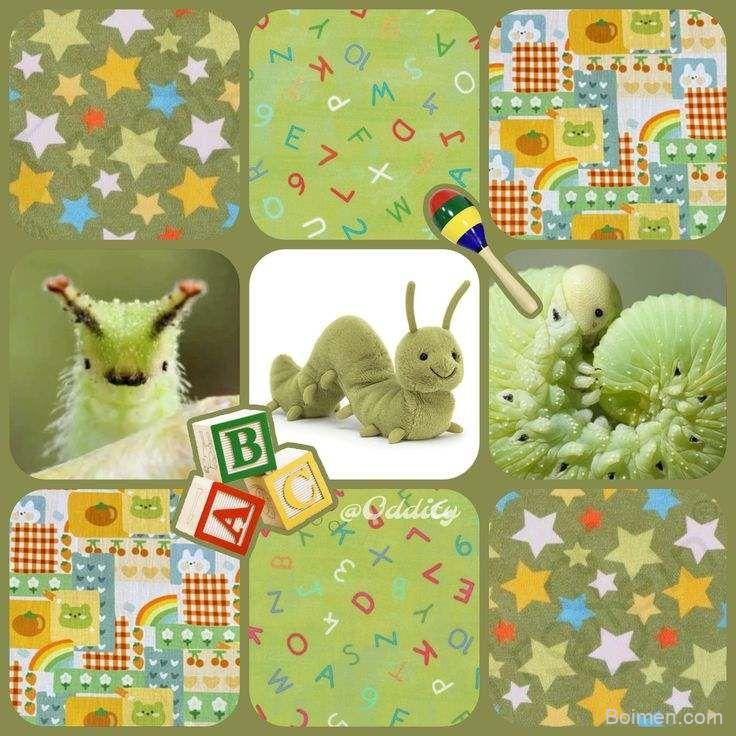
Most people building a mood board default to the same two or three apps, then wonder why every board ends up looking identical. The real problem is not creativity. It is source diversity. A mood board is only as good as the images you feed it, and the mainstream platforms recycle the same trending visuals.
Advertisements1
Quick win: before you read further, open one board you are currently working on and count how many images came from a single source. If the answer is more than half, your board has a sourcing problem, not a design problem.
Table of Contents(Click to Toggle)
Why Better Mood Board Sources Change Everything
A mood board is a decision-making tool disguised as a collage. When you pull references from a narrow set of platforms, you are quietly inheriting that platform’s algorithm as your creative direction. That is why so many boards converge on the same muted beige palette and the same soft-focus product shots.
The tools below are not ranked by popularity. They are grouped by what they actually do well: collecting, curating, or generating direction. Some are social, some are private, and a few are closer to research archives than mood boards. What matters is that each one gives you a different kind of raw material.
- Collection tools save and organize images you find elsewhere.
- Discovery tools surface images you would not have searched for.
- Utility tools turn a loose set of images into a usable palette, type pairing, or layout.
Mix at least one from each group and your boards stop looking like everyone else’s.
The 15 Mood Board Websites
1. Are.na : The thinking person’s visual research board
What it is: A platform built around channels, where users collect images, links, text, and files into thematic blocks rather than a single scroll.
Category: Curation and research.
Why it stands out: Channels are often annotated, so you see why someone saved an image, not just that they did. It supports text blocks alongside visuals, which makes it useful for concept boards where reasoning matters as much as aesthetics.
Best for: Designers, writers, and researchers who want references with context.
2. Cosmos : A calm, algorithm-light visual feed
What it is: An image discovery and saving app with a deliberately restrained interface and a strong focus on visual coherence.
Category: Discovery and collection.
Why it stands out: The feed leans toward art direction, editorial, and architecture rather than lifestyle content. Clusters let you group related saves without leaving the app, and the absence of heavy engagement metrics keeps the tone quiet.
Best for: Anyone tired of engagement-driven feeds who still wants fresh imagery.
3. Savee : A fast bookmarking layer for visual professionals
What it is: A save-and-organize tool used heavily by art directors, photographers, and stylists.
Category: Collection.
Why it stands out: The browser extension lets you save any image with a keyboard shortcut, and boards stay private by default. The community feed is curated enough to browse for direction, but the core value is speed: you can build a usable board in minutes.
Best for: People who save dozens of images a day and need them sorted instantly.
4. Niice : Collaborative boards for teams
What it is: A mood board workspace designed for sharing and commenting across a team or client.
Category: Collaboration.
Why it stands out: Boards can be shared with a link, and collaborators can comment directly on individual items. It also pulls in references from other platforms, so you are not locked into one source library.
Best for: Studios and freelancers presenting direction to clients.
5. Milanote : A flexible canvas for visual planning
What it is: A freeform board where images, notes, links, and to-dos sit side by side on an infinite canvas.
Category: Planning and organization.
Why it stands out: Unlike a strict grid, the canvas lets you arrange references spatially, which suits early-stage concept work. Boards can be exported as PDFs, useful when a client wants something tangible.
Best for: Projects that mix visuals with written direction.
6. Pinterest : Still the widest net, if you use it deliberately
What it is: The default image discovery and saving platform for most people.
Category: Discovery and collection.
Why it stands out: Its search depth is unmatched, and the visual search tool lets you crop into a specific object within a pin to find similar items. The limitation is the algorithm: left alone, it narrows your taste rather than widening it.
Best for: Broad initial research, followed by a move to a more private tool.
7. Behance : Finished work, not just fragments
What it is: Adobe’s portfolio platform for creative professionals across design, illustration, and motion.
Category: Inspiration and reference.
Why it stands out: Because projects are presented as complete case studies, you see how a visual direction was applied across a whole identity rather than as a single image. That context is hard to find on pure image feeds.
Best for: Understanding how a style holds up across an entire project.
8. Dribbble : Interface and product detail
What it is: A showcase platform focused on UI, branding, and product design shots.
Category: Inspiration.
Why it stands out: It is one of the few places where small interface details, icon sets, and color treatments are documented at close range. Useful when a mood board needs to translate into a screen rather than a print piece.
Best for: Product and web designers building direction for digital work.
9. Unsplash : Free, high-resolution source material
What it is: A library of freely usable photography contributed by a large community of photographers.
Category: Source material.
Why it stands out: The licence allows commercial use without attribution, which makes it practical for real projects, not just reference. Collections curated by users often group images by tone, which speeds up palette decisions.
Best for: Getting clean, usable imagery into a board quickly.
10. Coolors : Turning a board into a working palette
What it is: A color scheme generator and palette tool with a fast, keyboard-driven interface.
Category: Utility.
Why it stands out: You can extract a palette from an uploaded image, then lock individual colors and generate variations around them. It also checks contrast, which matters if the board is heading toward an actual interface.
Best for: Converting visual mood into a defined color system.
11. Fonts In Use : Typography with real-world context
What it is: An archive documenting typography as it appears in packaging, signage, editorial, and branding.
Category: Reference.
Why it stands out: Every entry names the typeface and the designer, so a board can move from vague feeling to a specific, licensable choice. The archive is searchable by format, industry, and typeface.
Best for: Anyone whose mood board needs a typographic direction, not just colors.
12. Designspiration : Color-first image search
What it is: A visual search engine for design and photography with a strong filtering system.
Category: Discovery.
Why it stands out: The color filter lets you search by up to several hues at once, which is unusually precise for a free tool. Results skew toward graphic design, posters, and interiors rather than generic stock.
Best for: Building a board around a fixed palette from the start.
13. Tumblr : Raw, unpolished, and still useful
What it is: A long-running blogging platform where image-heavy blogs function as informal mood boards.
Category: Discovery.
Why it stands out: Because there is no commercial incentive behind most posts, the imagery is often stranger and more personal than what surfaces on ad-driven platforms. Tag pages still work well for niche aesthetics.
Best for: Finding textures, subcultures, and references that feel less recycled.
14. Google Arts & Culture : Museum-grade imagery, free to explore
What it is: A digitized archive of artworks, artifacts, and exhibitions from partner institutions worldwide.
Category: Reference and source material.
Why it stands out: Many works are available at extremely high resolution, with zoom detail that reveals brushwork and material texture. For boards that need historical or fine-art grounding, this is a serious resource rather than a novelty.
Best for: Adding depth, history, or texture to a concept.
15. Raindrop.io : The catch-all that keeps boards clean
What it is: A bookmark manager that handles links, images, and files with tags and collections.
Category: Organization.
Why it stands out: It is not a mood board tool, which is exactly why it works as the layer underneath one. Save references from every source above into tagged collections, then pull only the relevant ones into your actual board.
Best for: Keeping research separate from presentation.
Bonus Mentions
Pexels : A second free photo library worth cross-checking
Similar licensing to Unsplash with a different contributor base, so the results rarely overlap. Useful when you need a specific subject and the first library comes up short.
Colourpod : Quick palette extraction from any image
A lightweight alternative for pulling a five-color scheme out of a single reference, with no account required.
ArtStation : Concept art and world-building
Strong for environment, character, and texture references if your board leans narrative or cinematic.
Notefolio : A quieter portfolio community
Korean design portfolios that surface work you will not see on the larger English-language platforms.
Lorem Picsum : Placeholder imagery for layout testing
Not for inspiration, but practical when you need to test how a board layout behaves before the real images arrive.
The Quiet Advantage of Better Sources
None of these tools will design anything for you. What they do is remove the sameness that creeps in when every reference comes from the same feed. A board built from Are.na channels, a Coolors palette, and a Fonts In Use entry will read differently from one assembled entirely on Pinterest, and the difference is visible before you can explain it.
The practical habit is simple: keep one collection tool, one discovery tool, and one utility tool in rotation, and swap the discovery source every few weeks. That alone keeps your references from calcifying.
Which of these did you already know, and which one are you trying first?
Stay focused, stay light.

Kenji covers tech productivity and digital minimalism for remote workers. He writes about streamlining workflows and cutting digital clutter with a focus on mental clarity, not just efficiency.


Leave a Comment