
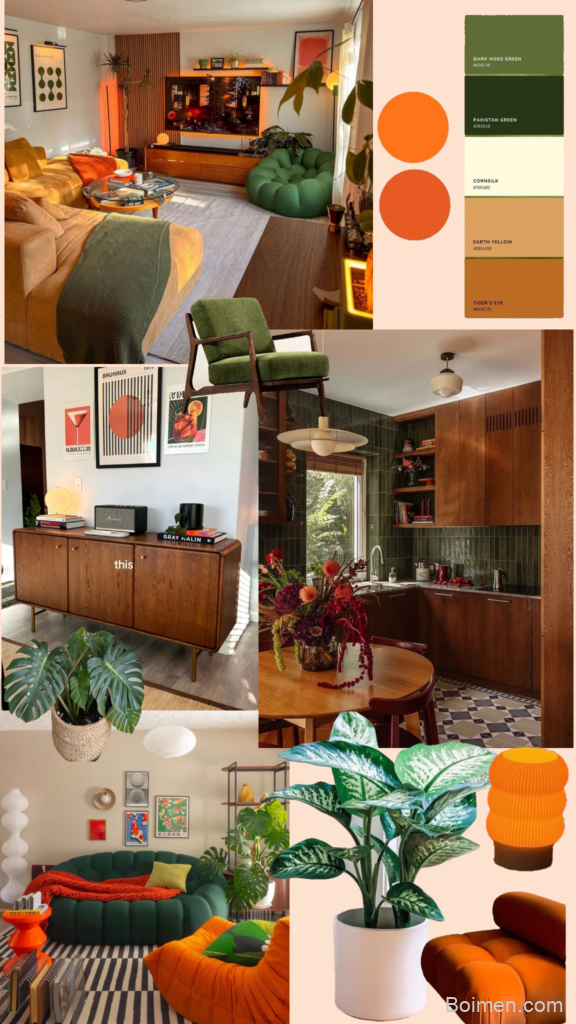
Moodboards are more than just pretty collages. They are thinking tools that help you clarify vague ideas, communicate aesthetic directions, and align teams before a single pixel is placed. But the popular options often feel bloated, template-driven, or locked behind paywalls. This list surfaces 21 under-the-radar tools that respect your workflow, your privacy, and your creative process. Each one was chosen for a specific reason, not just because it looks nice in a screenshot.
Advertisements1
Quick win: If you only try one tool from this list, start with Are.na — it is the most flexible moodboarding tool I have found for research-heavy projects.
Table of Contents(Click to Toggle)
- Why Digital Moodboards Fail You
- The 21 Underrated Moodboard Tools
- 1. Are.na : Channel-based visual research
- 2. Milanote : Visual collaboration with flexible boards
- 3. Mural : Real-time brainstorming and moodboarding
- 4. Miro : Whiteboard with infinite canvas
- 5. PureRef : Lightweight reference board for artists
- 6. Evernote : Note-taking with image clipping
- 7. Notion : All-in-one workspace with moodboard templates
- 8. Pinterest : Visual discovery and curation
- 9. Fling : Visual bookmarking for Mac
- 10. Raindrop.io : Smart bookmark manager
- 11. Scrapbox : Wiki-style collaborative note-taking
- 12. Padlet : Digital wall for multimedia posts
- 13. Wakelet : Save and organize content visually
- 14. Torial : Visual search and discovery for creatives
- 15. Cosmos : Visual bookmarking with AI
- 16. Lasso : Curated visual collections
- 17. Dropmark : Drag-and-drop visual organization
- 18. Kaku : Chrome extension for visual bookmarking
- 19. Mural.ly : Design thinking tool (renamed to Mural)
- 20. Snipping Tool : Quick screenshots for moodboards
- 21. Google Keep : Lightweight notes with image support
- Bonus Mentions
- The Quiet Power of a Good Moodboard
Why Digital Moodboards Fail You
Moodboarding should be frictionless. You collect images, arrange them, and step back to see patterns. But many popular tools insert themselves into that flow: they force you into rigid grids, push social feeds, or make exporting a pain. The result is a board that looks impressive but doesn’t help you think. The tools below were chosen because they solve a specific pain point — whether it’s speed, flexibility, or privacy. They range from serious research platforms to simple bookmarking utilities. What they share is a focus on the essence of moodboarding: capturing and connecting visual ideas without noise.
The 21 Underrated Moodboard Tools
1. Are.na : Channel-based visual research
What it is: Are.na is a platform for collecting and connecting ideas through channels — essentially curated collections of images, links, text, and files.
Category: Visual research and moodboarding
Why it stands out: It encourages slow, deliberate curation. You can add notes to each item, connect related blocks across channels, and follow other users’ channels for inspiration. The lack of likes or comments keeps the focus on content, not social validation.
Best for: Designers, researchers, and writers who want a thoughtful, non-addictive space to develop visual ideas over time.
2. Milanote : Visual collaboration with flexible boards
What it is: Milanote is an easy-to-use tool for organizing ideas and projects into visual boards.
Category: Visual collaboration and project planning
Why it stands out: It mimics a physical corkboard — you can drag images, notes, and files anywhere. It also supports real-time collaboration, making it ideal for remote teams. The free plan allows up to 100 notes, which is plenty for initial moodboards.
Best for: Creative teams and individuals who want a simple, collaborative space to brainstorm and iterate on visual concepts.
3. Mural : Real-time brainstorming and moodboarding
What it is: Mural is a digital whiteboard platform designed for visual collaboration and brainstorming.
Category: Team collaboration and design thinking
Why it stands out: It offers a variety of templates, including moodboard templates, and integrates with tools like Slack and Microsoft Teams. The sticky-note feature is handy for annotating images and collecting feedback. Its facilitation features help remote workshops run smoothly.
Best for: Teams that need to co-create moodboards during virtual workshops or design sprints.
4. Miro : Whiteboard with infinite canvas
What it is: Miro is a collaborative online whiteboard with an infinite canvas.
Category: Visual collaboration and project management
Why it stands out: Its infinite canvas lets you create sprawling moodboards without worrying about space. It supports image upload, sticky notes, and drawing tools. The template library includes moodboard layouts, and the ability to embed web content makes it a versatile research hub.
Best for: Product teams and UX designers who want to integrate moodboards into a larger workflow.
5. PureRef : Lightweight reference board for artists
What it is: PureRef is a standalone program for organizing reference images without clutter.
Category: Art and design reference tool
Why it stands out: It sits on top of your screen as a floating board, so you can view references while working in other software. It supports multiple images, drag-and-drop organization, and even links to online sources. It’s incredibly lightweight and runs entirely offline.
Best for: Digital artists and illustrators who need a non-intrusive reference board while painting or drawing.
6. Evernote : Note-taking with image clipping
What it is: Evernote is a note-taking app that also lets you clip web pages and images.
Category: Productivity and note-taking
Why it stands out: Its web clipper captures full pages or selections, and you can organize notes into notebooks. The search function can even find text inside images. For moodboarding, you can create a dedicated notebook and clip inspiration from anywhere.
Best for: Researchers who want to combine text notes with visual inspiration in one searchable place.
7. Notion : All-in-one workspace with moodboard templates
What it is: Notion is a versatile workspace for notes, databases, and project management.
Category: Productivity and project management
Why it stands out: You can build a moodboard using its gallery view and embed images, links, and comments. Templates are shared by the community, so you can start quickly. It also allows for relational databases, letting you tag and filter images by theme or client.
Best for: Freelancers and small teams who want to keep moodboards alongside project briefs and tasks.
8. Pinterest : Visual discovery and curation
What it is: Pinterest is a social visual bookmarking tool where users save images to boards.
Category: Visual discovery and social bookmarking
Why it stands out: Despite its social nature, it remains a powerful source of inspiration. You can search for specific aesthetics and follow boards that match your taste. The algorithm suggests related pins, which can lead to unexpected discoveries.
Best for: Early-stage inspiration and exploring broad visual themes.
9. Fling : Visual bookmarking for Mac
What it is: Fling is a Mac-only app that lets you save images and web pages directly to your desktop as visual bookmarks.
Category: Visual bookmarking and productivity
Why it stands out: It works like a stack of cards on your desktop, so you can flip through them quickly. It syncs with iCloud and supports tags. The minimalist interface keeps your inspiration close without browser clutter.
Best for: Mac users who want a fast, offline-friendly way to collect images while browsing.
10. Raindrop.io : Smart bookmark manager
What it is: Raindrop.io is a bookmarking service that organizes links, images, and videos into collections.
Category: Bookmarking and content organization
Why it stands out: It offers a visual view that shows thumbnails of saved pages, making it a de facto moodboard. You can add tags, notes, and even highlight text. The browser extension is fast, and the mobile app lets you capture inspiration on the go.
Best for: People who want to archive web content visually and retrieve it later with advanced search.
11. Scrapbox : Wiki-style collaborative note-taking
What it is: Scrapbox is a collaborative wiki-like platform for creating interconnected notes.
Category: Collaborative knowledge management
Why it stands out: You can paste images and links directly into project pages. The automatic linking between pages helps you see connections between different moodboards. It’s excellent for building a visual vocabulary over time.
Best for: Teams that want to create a shared visual library with cross-referencing.
12. Padlet : Digital wall for multimedia posts
What it is: Padlet is an online bulletin board where you can post text, images, links, and videos.
Category: Collaborative content sharing
Why it stands out: It’s incredibly easy to use — just double-click to add content. You can choose different layouts, from freeform to grid. It also supports real-time collaboration, making it great for class projects or team brainstorms.
Best for: Educators and facilitators who need a quick, shareable wall for collecting visual ideas.
13. Wakelet : Save and organize content visually
What it is: Wakelet is a content curation platform that lets you save links, images, and text into collections.
Category: Content curation and bookmarking
Why it stands out: It offers a clean, magazine-style layout for collections. You can add collaborators and import from Twitter, YouTube, and other services. The free plan includes unlimited collections, which is rare.
Best for: Content creators and researchers who want to compile inspiration from social media and the web.
14. Torial : Visual search and discovery for creatives
What it is: Torial is a visual search engine designed for creatives to find and collect images.
Category: Visual search and discovery
Why it stands out: It pulls images from across the web and lets you filter by color, orientation, and license. You can create boards and save images directly. The search algorithm is geared toward design inspiration, not just generic results.
Best for: Designers who need to source specific types of imagery efficiently.
15. Cosmos : Visual bookmarking with AI
What it is: Cosmos is a visual bookmarking tool that uses AI to help you organize and discover images.
Category: Visual bookmarking with AI
Why it stands out: It automatically tags your saved images and suggests related content. The interface is beautiful and minimal, and you can share boards publicly or keep them private. It’s a newer tool but already shows promise for moodboarding.
Best for: Early adopters who want AI-assisted curation.
16. Lasso : Curated visual collections
What it is: Lasso is a platform for creating and sharing curated visual collections.
Category: Visual curation and social sharing
Why it stands out: It focuses on quality over quantity, with a clean grid layout. You can follow other curators and discover niche boards. The mobile app is well-designed for on-the-go inspiration.
Best for: People who enjoy exploring curated collections by other creatives.
17. Dropmark : Drag-and-drop visual organization
What it is: Dropmark is a tool for organizing links, images, notes, and files into visual stacks.
Category: Visual organization and collaboration
Why it stands out: It uses a “stack” metaphor that feels like a deck of cards. You can drag and drop items from your browser, add comments, and share stacks with clients. It also supports password-protected stacks for private work.
Best for: Freelancers who want to present moodboards to clients in a clean, shareable format.
18. Kaku : Chrome extension for visual bookmarking
What it is: Kaku is a Chrome extension that lets you save images and pages to a visual board directly from your browser.
Category: Browser extension and visual bookmarking
Why it stands out: It offers a lightweight alternative to full-featured apps. You can right-click any image and add it to a board. The extension also shows a grid of your saved items for quick browsing.
Best for: Chrome users who want a simple, no-fuss way to clip visuals.
19. Mural.ly : Design thinking tool (renamed to Mural)
What it is: Mural.ly was the original name of Mural; the link now goes to Mural’s site. It was a design thinking tool for visual collaboration.
Category: Design thinking and collaboration
Why it stands out: While the name has changed, the tool retains its focus on facilitating visual thinking. If you’re looking for a tool that integrates moodboards with user research and ideation, Mural is a solid choice.
Best for: Teams that want a structured approach to design thinking.
20. Snipping Tool : Quick screenshots for moodboards
What it is: Snipping Tool is a built-in Windows utility for capturing screenshots.
Category: Utility and screen capture
Why it stands out: It’s not a moodboard tool per se, but it’s a great companion. You can quickly capture any part of the screen and paste it into a document or image editor. It’s free, always available, and requires no installation.
Best for: Quick captures of inspiration from websites or videos.
21. Google Keep : Lightweight notes with image support
What it is: Google Keep is a note-taking app that supports adding images and labels.
Category: Note-taking and organization
Why it stands out: It’s simple and syncs across devices. You can create a note for a moodboard and add images via the mobile app or web clipper. The label feature helps you categorize by project. It’s not fancy, but it’s effective for quick visual capture.
Best for: Minimalists who want a no-frills way to collect visual ideas.
Bonus Mentions
Niice : Search engine for design inspiration
Niice aggregates images from Dribbble, Behance, and other design sites. You can create boards and search across multiple sources at once. It’s a quick way to explore current design trends.
GoMoodboard : Simple moodboard creator
GoMoodboard is a straightforward web tool that lets you upload images and arrange them on a canvas. It’s useful for quick client presentations without complex features.
Moodboard.com : Free moodboard templates
This site offers a collection of free moodboard templates for various design projects. You can download and edit them in tools like Photoshop or Canva.
Canva : Design tool with moodboard templates
While Canva is widely known, its moodboard templates are often overlooked. You can quickly create a board and share it with your team. The free plan includes many templates.
The Quiet Power of a Good Moodboard
Moodboards are not just for designers. They help anyone think visually — from writers developing a book’s atmosphere to marketers defining a brand’s tone. The tools above are underrated because they prioritize function over flash. They let you capture, arrange, and revisit visual ideas without the noise of social feeds or the pressure of perfection. The best moodboard tool is the one that disappears into your workflow, allowing you to think with images.
Have you discovered a moodboard tool that changed the way you work? Share it in the comments — I’m always looking for new ways to think visually.
Stay focused, stay light.

Kenji covers tech productivity and digital minimalism for remote workers. He writes about streamlining workflows and cutting digital clutter with a focus on mental clarity, not just efficiency.


Leave a Comment