
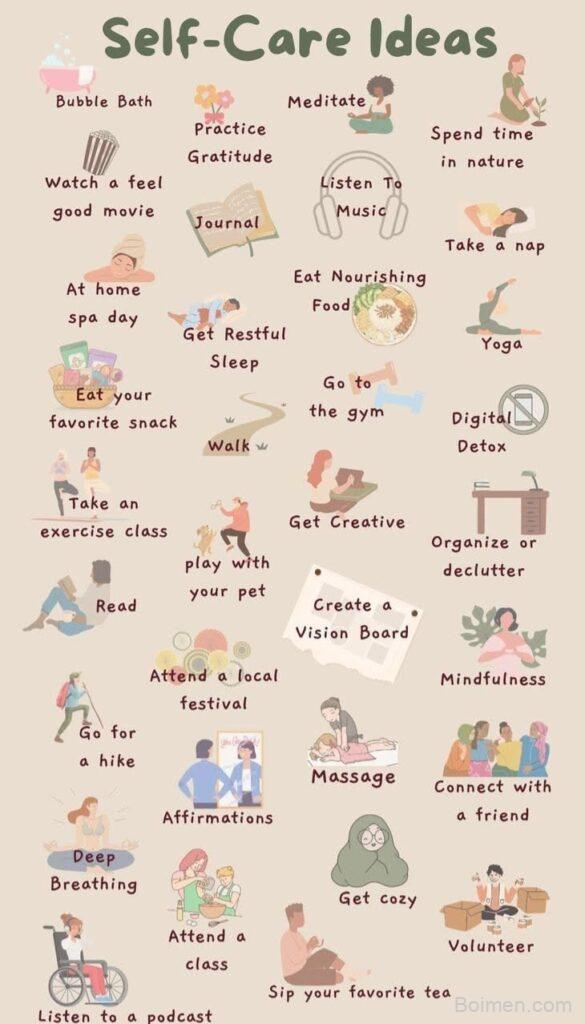
You've pinned and pinned, but your images just aren't getting the love they deserve. Let's fix that. In this guide, you'll learn exactly how to craft Pinterest images that stop the scroll and earn those clicks.
Advertisements1
- Always use a 2:3 vertical ratio (1000×1500 px) for maximum visibility.
- Keep text overlays short and punchy—aim for 3-5 words in a bold, readable font.
- Use bright, high-contrast colors to stand out in the feed.
- Brand every pin with a consistent color and logo for recognition.
- Simplicity wins—avoid clutter and focus on one clear message.
- Test multiple designs and track performance to improve over time.
Why Your Pinterest Image Matters More Than Your Caption
On Pinterest, your image is your billboard. It's the first—and often only—thing people see as they scroll through their feed. A strong image can make someone pause, while a weak one gets lost in the noise. Think of your pin as a mini-ad for your content. If it doesn't catch the eye, no one will ever read your clever caption or click through to your blog post.
The Perfect Pin Dimensions (and Why They Work)
The ideal Pinterest image ratio is 2:3, which translates to 1000 x 1500 pixels. This vertical format takes up more space in the feed, making it more noticeable and easier to see on mobile. Avoid square or landscape images—they get cut off or look tiny. Always design at 1000 x 1500 pixels to ensure your pin looks crisp and professional.
How to Choose Fonts That Are Actually Readable
Your text overlay should be readable at a glance. Avoid thin, overly decorative fonts. Instead, use bold, clean sans-serif fonts like Montserrat, Lato, or Arial. Keep your text minimal—a strong headline of 3 to 5 words works best. For example, instead of '10 Easy Vegan Dinner Recipes for Busy Weeknights,' try 'Easy Vegan Dinners' in large letters, then add a smaller subtitle if needed. Always ensure high contrast between text and background, like white text on a dark photo or black text on a light background.
Color Psychology: What to Use to Stand Out
Color can make or break your pin's performance. Bright, saturated colors like red, orange, and yellow tend to pop in the feed. But don't ignore your brand—use colors that reflect your style while still contrasting with Pinterest's white background. For example, if you have a food blog, warm oranges and reds can stimulate appetite. If you're in the wellness niche, calming blues and greens work well. Test different palettes to see what resonates with your audience.
The Magic of Branding on Your Images
Add a subtle logo or your blog name to every pin. This builds brand recognition over time. Place it in a corner, but make sure it doesn't distract from the main message. Use the same font and color scheme across all your pins to create a cohesive look. For instance, if you always use a pink background with white text, people will start recognizing your pins instantly in their feed.
How to Use Text Overlay Effectively
Your text overlay should promise a clear benefit or spark curiosity. Use keywords that people search for, like 'tips,' 'ideas,' 'guide,' or 'checklist.' For example, '5-Minute Morning Yoga' is more specific than 'Yoga Routine.' Keep it short and punchy. Also, consider adding a small call-to-action like 'Learn more' or 'Get the recipe' to encourage clicks.
Tools to Create Stunning Pins (Even If You're Not a Designer)
You don't need expensive software to create beautiful pins. Canva is a favorite—it has Pinterest-specific templates that are easy to customize. PicMonkey and Adobe Express are also great options. Use these tools to add text, adjust colors, and overlay graphics. Start with a template, then tweak it to match your brand. Remember, simple often works best—don't overcrowd your image with too many elements.
How to Do It, Step by Step
- 1Start with a clear idea
Before you design, know what your pin is about. Write down the main takeaway you want to communicate. This helps you choose the right image and text. - 2Pick a high-quality base image
Use a sharp, well-lit photo that represents your content. Avoid blurry or low-resolution images. If you're using stock photos, choose ones that look authentic and not too staged. - 3Design in the right dimensions
Set your canvas to 1000 x 1500 pixels. This ensures your pin displays fully on all devices and doesn't get cropped in the feed. - 4Add a compelling headline
Write a short, benefit-driven headline using keywords. Place it prominently on the image. Test different fonts and sizes to see what's readable. - 5Incorporate your branding
Add your logo or blog name in a corner with a consistent color and font. This helps people remember you and builds trust. - 6Keep it simple
Don't clutter your pin with too much text or graphics. Focus on one main message. Use whitespace to let your design breathe. - 7Preview on mobile
Most Pinterest users are on mobile, so check how your pin looks on a small screen. Make sure text is readable and the image is clear. - 8Save and test different versions
Create two or three variations of the same pin, changing the image, text, or colors. Pin them all and see which performs best. Use Pinterest Analytics to track clicks and saves.
Your Pinterest image is the handshake that invites someone into your content—make it warm, clear, and impossible to ignore.
Frequently Asked Questions
What is the best size for Pinterest images?
The best size is 1000 x 1500 pixels, a 2:3 ratio. This vertical format takes up more space in the feed and is optimized for mobile viewing.
Can I use square images on Pinterest?
Yes, but they are less effective because they appear smaller in the feed. For better visibility, stick to the 2:3 vertical ratio.
What fonts are best for Pinterest pins?
Use bold, sans-serif fonts like Montserrat, Lato, or Arial. They are clean and readable, even on small screens.
How much text should I put on a pin?
Keep it minimal—a headline of 3-5 words is ideal. Too much text overwhelms viewers and reduces readability.
Do I need to use the same colors on every pin?
Using a consistent color palette helps build brand recognition, but you can vary shades to match the topic. Consistency in style is more important than exact color matching.

Maya writes about sustainable living and zero-waste swaps for busy families. She focuses on small, actionable changes that fit into real life without judgment or guilt.


Leave a Comment