
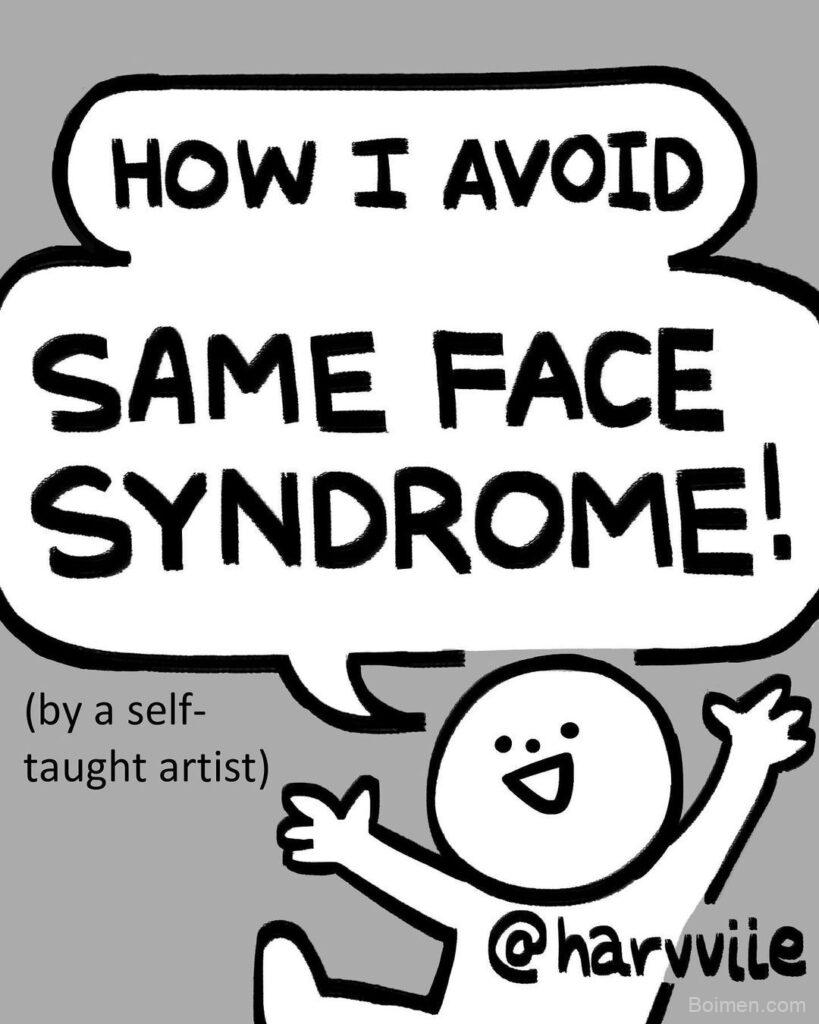
Most people who want to draw faces hit the same wall: they can copy a photo, but they cannot build a face from imagination. The missing piece is not talent. It is a repeatable reference system. That is exactly what the Goodlife.boimen.com face tutorial on Instagram demonstrated — a semi-realistic method for constructing different faces step by step. Below is a quick win, then 20 resources that do the same job in different ways.
Advertisements1
Quick win: Before you open any tool, draw three faces from one reference photo — same photo, three different head shapes. If your proportions hold, you already have a method. If they collapse, the tools below will show you where.
Table of Contents(Click to Toggle)
- Why Face Reference Tools Beat Guesswork
- 20 Face Drawing Reference Tools Like Goodlife Boimen
- 1. Goodlife Boimen
- 2. Line of Action
- 3. Quickposes
- 4. SketchDaily Reference
- 5. Posemaniacs
- 6. JustSketchMe
- 7. Magic Poser
- 8. Design Doll
- 9. Handy
- 10. Anatomy 360
- 11. Reference Angle
- 12. SenshiStock
- 13. AdorkaStock
- 14. The Pose Archives
- 15. Proko
- 16. Drawabox
- 17. Ctrl+Paint
- 18. New Masters Academy
- 19. ArtStation Learning
- 20. Krita
- Bonus: PureRef
- Bonus: Figurosity
- Bonus: Human Anatomy for Artists
- Bonus: Pinterest Board Method
- Bonus: The Virtual Instructor
- Building a Face Library That Actually Works
Why Face Reference Tools Beat Guesswork
Drawing faces from memory fails because the brain stores symbols, not structures. You remember “eye” as an almond shape, not as a sphere set into a socket under a brow ridge. Reference tools interrupt that shortcut. They force you to observe angles, light direction, and the distance between features.
The Goodlife Boimen approach is a good example: it breaks a face into construction lines before adding semi-realistic shading. That order matters. Structure first, detail second. The tools below support that order in three ways — timed practice, 3D posing, and structured study.
20 Face Drawing Reference Tools Like Goodlife Boimen
1. Goodlife Boimen : The semi-realistic face breakdown that started this list
What it is: A reference hub tied to the Instagram tutorial that walks through constructing different faces with a semi-realistic finish.
Category: Tutorial and reference guide.
Why it stands out:
- Breaks the face into stages rather than showing a finished result only.
- Focuses on variation — how one method produces many face types.
- Suits artists moving from anime-style to semi-realistic work.
Best for: Beginners who need a construction order before chasing realism.
2. Line of Action : Timed figure and face practice in one place
What it is: A free timed drawing session tool with categories for faces, hands, animals, and full figures.
Category: Timed practice.
Why it stands out:
- You can isolate face-only sessions, which most pose tools do not allow.
- Adjustable intervals from 30 seconds to 10 minutes.
- Class mode removes the timer so you can work at your own pace.
Best for: Daily warm-ups when you have 15 minutes, not an hour.
3. Quickposes : Randomised reference with a clean interface
What it is: A browser-based pose and portrait generator built for gesture drawing.
Category: Timed practice.
Why it stands out:
- Session length and image duration are both configurable.
- Includes a portrait category with varied lighting conditions.
- No account required, which keeps friction low.
Best for: Artists who want randomness instead of curated sets.
4. SketchDaily Reference : A large tagged photo library
What it is: A searchable reference database with tags for pose, clothing, and body type.
Category: Photo library.
Why it stands out:
- Search filters let you narrow to head-and-shoulders shots.
- Images are licensed for artistic use, which removes guesswork.
- Works well on mobile during a commute.
Best for: Building a personal folder of specific face angles.
5. Posemaniacs : Muscle-focused 3D figures for anatomy study
What it is: A 3D model viewer that renders figures with visible musculature.
Category: 3D anatomy reference.
Why it stands out:
- Rotatable models reveal how the jaw and cheek sit over bone.
- Timed random pose mode doubles as gesture practice.
- Free, with no login wall.
Best for: Understanding what sits under the skin before shading.
6. JustSketchMe : Browser posing without installing software
What it is: A lightweight 3D posing app that runs in the browser.
Category: 3D posing.
Why it stands out:
- Drag-and-drop limb control is fast enough for quick studies.
- Camera angle changes let you test extreme head tilts.
- Free tier covers most single-figure needs.
Best for: Testing a face angle before committing to a full drawing.
7. Magic Poser : Multi-figure scenes with adjustable lighting
What it is: A 3D posing tool available on mobile and desktop.
Category: 3D posing.
Why it stands out:
- Adjustable light source shows how shadows fall across a face.
- Multiple figures can be posed together for interaction studies.
- Preset hand and head poses save setup time.
Best for: Artists studying how light changes facial planes.
8. Design Doll : Precise proportion control for stylised faces
What it is: A desktop posing application with fine-grained body and head adjustment.
Category: 3D posing software.
Why it stands out:
- Head shape and feature placement can be scaled independently.
- Useful for testing how far stylisation can stretch before it breaks.
- Free version is functional, not crippled.
Best for: Artists working in a stylised or semi-realistic register.
9. Handy : A browser-based reference companion
What it is: A web tool for organising and viewing art reference while you draw.
Category: Reference management.
Why it stands out:
- Keeps reference visible without switching windows constantly.
- Simple enough to set up in under a minute.
- Pairs well with any of the photo libraries above.
Best for: Artists who lose time alt-tabbing between apps.
10. Anatomy 360 : Photogrammetry scans of real anatomy
What it is: A reference package of high-resolution 3D scans focused on anatomy.
Category: 3D scan reference.
Why it stands out:
- Scans capture real surface detail rather than simplified geometry.
- Useful for understanding the neck-to-jaw transition.
- Higher fidelity than most free model viewers.
Best for: Intermediate artists pushing toward realism.
11. Reference Angle : Search by viewing angle
What it is: A reference search tool that filters images by the angle you need.
Category: Photo library.
Why it stands out:
- Filters for front, three-quarter, profile, and rear views.
- Removes the endless scrolling that plagues generic image search.
- Particularly strong for head and shoulder shots.
Best for: Practising one specific angle until it becomes automatic.
12. SenshiStock : A long-running pose reference archive
What it is: A stock photo archive on DeviantArt built specifically for artists.
Category: Photo library.
Why it stands out:
- Thousands of images organised by theme and pose type.
- Clear usage terms stated on each gallery.
- Includes facial expression sets, not just full-body poses.
Best for: Artists who need expression variety, not just angles.
13. AdorkaStock : Free pose reference with generous licensing
What it is: Another artist-oriented stock archive with a large free section.
Category: Photo library.
Why it stands out:
- Licensing allows commercial use, which matters for working artists.
- Poses are shot with clear lighting for easier value study.
- Regularly updated with themed sets.
Best for: Artists who need reference they can legally publish from.
14. The Pose Archives : Curated high-quality reference packs
What it is: A curated reference site offering themed photo packs.
Category: Photo library.
Why it stands out:
- Consistent lighting across each pack, which helps comparison study.
- Smaller library than stock sites, but far less noise.
- Some packs are free, others paid — pricing is stated upfront.
Best for: Artists who prefer curation over volume.
15. Proko : Structured head-drawing courses
What it is: A video course platform focused on figure and portrait fundamentals.
Category: Course platform.
Why it stands out:
- The head-drawing series covers construction from the skull outward.
- Free videos are genuinely complete, not teasers.
- Assignments reinforce each concept before moving on.
Best for: Artists who want a curriculum, not random tips.
16. Drawabox : Free fundamentals with strict exercises
What it is: A free, exercise-driven drawing curriculum.
Category: Course platform.
Why it stands out:
- Emphasises form and construction, which transfers directly to faces.
- Community critique is available for submitted work.
- No cost, though the workload is substantial.
Best for: Beginners willing to do repetitive drills for real gains.
17. Ctrl+Paint : Digital painting basics in short lessons
What it is: A library of short digital painting videos covering fundamentals.
Category: Course platform.
Why it stands out:
- Lessons are short enough to complete in one sitting.
- Covers value and light, which is where semi-realistic faces live or die.
- Free section is extensive.
Best for: Artists who can draw faces but cannot shade them.
18. New Masters Academy : Long-form instruction from working artists
What it is: A subscription platform with extensive figure and portrait content.
Category: Course platform.
Why it stands out:
- Multi-hour courses that go deeper than short-form tutorials.
- Instructors demonstrate full drawings start to finish.
- Library is large enough to support years of study.
Best for: Serious learners ready to commit to a subscription.
19. ArtStation Learning : Free courses from professional artists
What it is: A free learning section on the ArtStation platform.
Category: Course platform.
Why it stands out:
- Courses are produced by artists working in games and film.
- Focus leans toward production-ready character work.
- Free to access with an account.
Best for: Artists aiming at commercial character design.
20. Krita : Free drawing software with strong reference tools
What it is: A free, open-source digital painting application.
Category: Drawing software.
Why it stands out:
- Reference tool docker keeps images pinned beside your canvas.
- Brush engine handles both line work and soft shading.
- Runs on modest hardware, unlike some paid alternatives.
Best for: Artists who want a no-cost studio that supports reference workflow.
Bonus Mentions
PureRef : Pin reference images on a floating canvas
What it is: A lightweight reference board that sits above your drawing app.
Category: Reference management.
Why it stands out:
- Always-on-top mode means reference never hides behind your canvas.
- Free for personal use, with a paid version for studios.
- Handles dozens of images without slowing down.
Best for: Artists juggling multiple face references at once.
Figurosity : 3D models with expression and lighting control
What it is: A browser posing tool with a library of detailed 3D characters.
Category: 3D posing.
Why it stands out:
- Facial expression controls go beyond neutral poses.
- Lighting presets simulate studio and outdoor conditions.
- Free tier is usable for regular practice.
Best for: Studying how expression changes facial structure.
Human Anatomy for Artists : A deep anatomy image database
What it is: A large collection of anatomical photos and 3D references.
Category: 3D scan reference.
Why it stands out:
- Covers surface anatomy with clinical clarity.
- Searchable by body region, including the head and neck.
- Useful when you need to know why a feature sits where it does.
Best for: Artists who want anatomy answers, not just pretty photos.
Pinterest Board Method : Free curated reference by theme
What it is: Using a private Pinterest board as a personal reference collection.
Category: Reference management.
Why it stands out:
- Free and already on your phone.
- Boards can be split by angle, expression, or lighting.
- Downside: image quality varies and licensing is unclear.
Best for: Quick visual mood boards, not commercial work.
The Virtual Instructor : Portrait lessons with printable guides
What it is: An art instruction site with written and video portrait tutorials.
Category: Course platform.
Why it stands out:
- Written tutorials suit artists who prefer reading over watching.
- Proportion guides are explained with diagrams.
- Free articles cover most beginner questions.
Best for: Learners who want text they can revisit mid-drawing.
Building a Face Library That Actually Works
The tools above are not interchangeable, and that is the point. Timed practice builds speed. 3D posing builds structural understanding. Courses build vocabulary. The Goodlife Boimen method sits in the middle — it gives you a construction order you can apply to any of these references.
Pick two tools, not ten. One timed practice site for daily warm-ups, one 3D poser for structural questions. Run them for thirty days before adding anything else. Most artists fail not because they lack resources but because they collect them instead of using them.
Which reference tool actually changed how you draw faces — and which one did you abandon after a week?
Stay focused, stay light.

Kenji covers tech productivity and digital minimalism for remote workers. He writes about streamlining workflows and cutting digital clutter with a focus on mental clarity, not just efficiency.


Leave a Comment