
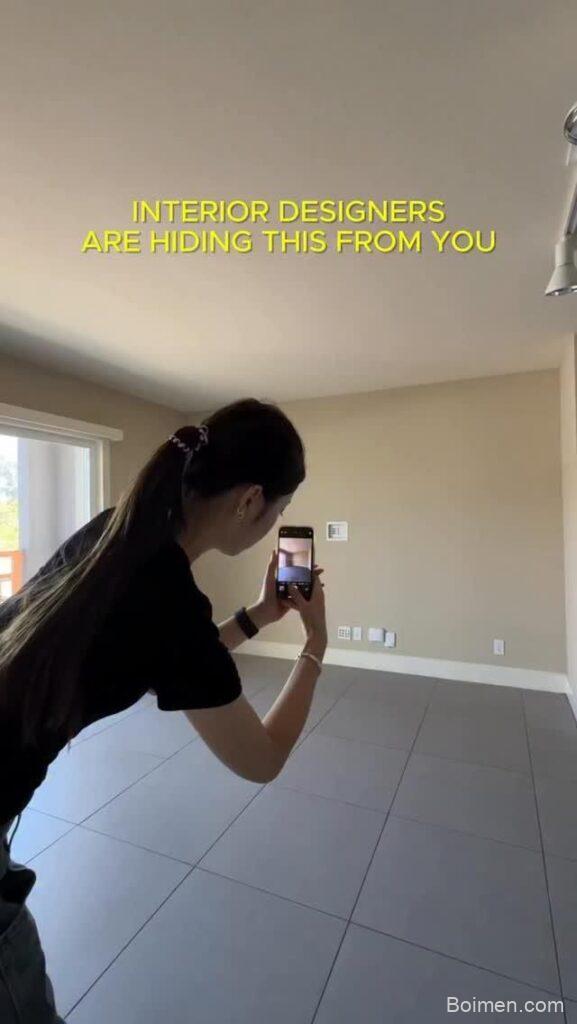
I remember staring at my bare living room walls, wishing I could afford an interior designer. Then I discovered a simple trick: upload a photo of my room to a free online tool and watch it transform. That moment changed how I approach home decor. Now, I’m sharing 15 free room design tools that let you visualize your dream space without spending a dime on professionals. These tools are perfect for renters, homeowners, and anyone who loves a good before-and-after. Let’s dive in and make your space beautiful, one small step at a time.
Advertisements1
Table of Contents(Click to Toggle)
- Why Visualizing Your Room Changes Everything
- 15 Free Room Design Tools
- 1. Goodlife.boimen.com
- 2. Roomstyler
- 3. Planner 5D
- 4. Homestyler
- 5. SketchUp Free
- 6. Floorplanner
- 7. Ikea Home Planner
- 8. SmartDraw
- 9. RoomSketcher
- 10. HomeByMe
- 11. Design a Room by Armstrong
- 12. Lowe’s Room Planner
- 13. Havenly
- 14. Spacejoy
- 15. DecorMatters
- Bonus: RoomGPT
- Bonus: REimagine Home
- Bonus: Interior AI
- The Internet’s Best-Kept Design Secrets
Why Visualizing Your Room Changes Everything
Have you ever bought a piece of furniture that looked perfect in the store but felt all wrong at home? I have. More times than I’d like to admit. That’s why visualizing your space before you commit is a game-changer. It saves money, reduces returns, and lets you experiment without risk. Plus, it’s just plain fun. With these free tools, you can try bold colors, rearrange furniture, and even see how different lighting affects the mood. No design degree required. Just your phone or computer and a little curiosity. And the best part? You can do it all from your couch, in your pajamas.
15 Free Room Design Tools
1. Goodlife.boimen.com : Upload a photo and get instant design ideas
What it is: A web-based tool that uses AI to redesign your room from a single photo.
Category: AI-powered room visualization
Why it stands out:
- You just snap a picture of your current room, upload it, and the tool generates a redesigned version in seconds.
- It offers multiple design styles, from modern to bohemian, so you can see what fits your taste.
- No sign-up required to try it, which makes it super accessible.
Best for: Renters who can’t make permanent changes but want to see what’s possible.
2. Roomstyler : Create 3D room designs in your browser
What it is: A free online 3D room planner with a vast library of furniture and decor.
Category: 3D design tool
Why it stands out:
- You can build a room from scratch or use a template, then drag and drop thousands of real products.
- It renders your design in 3D, so you can walk through it virtually.
- The community shares designs for inspiration, and you can remix them.
Best for: DIY enthusiasts who want to plan a full room makeover.
3. Planner 5D : Easy 2D and 3D home design
What it is: A user-friendly app and web tool for creating floor plans and interior designs.
Category: Home design software
Why it stands out:
- It has both 2D and 3D modes, so you can switch between blueprint and realistic views.
- The snap-to-grid feature makes it easy to align walls and furniture.
- You can export high-quality images to share with your partner or landlord.
Best for: Beginners who want a simple yet powerful tool.
4. Homestyler : Free interior design with real products
What it is: A free design tool that lets you use actual products from brands like Ashley and Kohler.
Category: Interior design platform
Why it stands out:
- You can see how specific furniture pieces will look in your room before buying.
- It offers 3D rendering and virtual tours.
- The mobile app lets you capture your room and overlay designs.
Best for: Shoppers who want to avoid returns by previewing products.
5. SketchUp Free : Professional 3D modeling for everyone
What it is: A free version of the popular 3D modeling software, available in your browser.
Category: 3D modeling
Why it stands out:
- It’s incredibly powerful for creating custom furniture and architectural details.
- The free version includes 10GB of cloud storage.
- There’s a massive library of free 3D models in the 3D Warehouse.
Best for: Hobbyists who want to design custom pieces or detailed layouts.
6. Floorplanner : Create floor plans in minutes
What it is: A web-based tool for making accurate floor plans and interior designs.
Category: Floor planning
Why it stands out:
- It’s fast: you can draw a room and furnish it in under 10 minutes.
- It offers both 2D and 3D views, and you can switch with one click.
- The free plan allows one project, which is enough for a single room.
Best for: Quick planning before a move or renovation.
7. Ikea Home Planner : Design with Ikea furniture
What it is: Ikea’s official tool for planning kitchens, wardrobes, and more with their products.
Category: Brand-specific planner
Why it stands out:
- You can see exactly how Ikea items fit in your space, with real dimensions.
- It generates a shopping list and price total.
- It’s free and integrates with your Ikea account.
Best for: Ikea fans who want to ensure a perfect fit.
8. SmartDraw : Easy diagrams and floor plans
What it is: A diagramming tool that includes floor plan templates and symbols.
Category: Diagram software
Why it stands out:
- It’s great for creating clear, professional-looking floor plans quickly.
- The free trial lets you test all features.
- It integrates with Google Drive and other tools.
Best for: People who need to communicate design ideas to contractors.
9. RoomSketcher : Professional floor plans and 3D visuals
What it is: A tool that creates high-quality floor plans and 3D renderings.
Category: Floor plan and 3D visualization
Why it stands out:
- It offers a free version with basic features, including 2D and 3D.
- You can order professional floor plans if needed.
- The interface is intuitive, with drag-and-drop functionality.
Best for: Homeowners planning a renovation who need accurate plans.
10. HomeByMe : Free 3D interior design online
What it is: A free online 3D design tool from Dassault Systèmes.
Category: 3D design
Why it stands out:
- It provides realistic 3D renderings and the ability to order custom furniture.
- You can import your own floor plan or start from scratch.
- The free version allows unlimited projects.
Best for: Designers who want to showcase ideas to clients.
11. Design a Room by Armstrong : Visualize flooring and walls
What it is: A tool specifically for trying out flooring and wall colors.
Category: Flooring and wall visualizer
Why it stands out:
- You can upload a photo of your room and change the floor and wall materials.
- It uses real Armstrong products, so you know what you’re getting.
- It’s simple and free, with no sign-up.
Best for: Anyone considering new flooring or paint.
12. Lowe’s Room Planner : Plan your space with Lowe’s products
What it is: Lowe’s free online room design tool.
Category: Retail planner
Why it stands out:
- You can design a room using products available at Lowe’s.
- It offers 3D visualization and a shopping list.
- It’s integrated with Lowe’s website for easy purchasing.
Best for: Shoppers who want to buy everything in one place.
13. Havenly : Free design quizzes and paid services
What it is: An interior design service with a free style quiz and affordable packages.
Category: Online interior design service
Why it stands out:
- You can take a free style quiz to discover your design aesthetic.
- They offer affordable design packages starting at $79.
- You get a personalized design concept and shopping list.
Best for: Those who want expert help without the full cost of a designer.
14. Spacejoy : 3D room designs from experts
What it is: An online interior design service that provides 3D renderings.
Category: Design service
Why it stands out:
- You get a 3D design of your room created by a professional.
- It’s more affordable than traditional designers, with packages starting at $99.
- You can shop the look directly from the design.
Best for: People who want a pro’s touch without breaking the bank.
15. DecorMatters : AI-powered design and shopping
What it is: A mobile app that uses AI to redesign your room and lets you shop the look.
Category: AI design app
Why it stands out:
- You can upload a photo and get instant AI-generated design ideas.
- It includes a social feed where you can share and get feedback.
- You can purchase items directly from the app.
Best for: Mobile users who want design on the go.
Bonus: RoomGPT : AI redesign from a photo
What it is: A free AI tool that generates new designs from your room photo.
Category: AI design
Why it stands out:
- It offers multiple design styles and is incredibly fast.
- You can try it for free with a limited number of generations.
Best for: Quick inspiration without commitment.
Bonus: REimagine Home : AI interior design and remodeling
What it is: An AI tool that redesigns your space and suggests products.
Category: AI design
Why it stands out:
- It provides shoppable suggestions and multiple design options.
- You can upload a photo and get results in minutes.
Best for: Those who want a complete redesign with product links.
Bonus: Interior AI : AI-powered interior design
What it is: A web tool that uses AI to generate interior design ideas from a photo.
Category: AI design
Why it stands out:
- It offers a variety of styles and is easy to use.
- You can get a free preview before paying.
Best for: Experimenting with different aesthetics.
The Internet’s Best-Kept Design Secrets
I’ve tried many of these tools myself, and I’m always amazed at how much you can do without spending a fortune. Whether you’re dreaming of a cozy reading nook or a sleek modern kitchen, there’s a free tool here to help you see it before you commit. Remember, progress over perfection. Start with one room, one corner, or even one wall. Try this week: pick your favorite tool from this list and upload a photo of your space. You might be surprised at what you discover. And if you find a hidden gem I missed, share it in the comments. I’m always looking for new tools to try. Here’s to small steps, big impact.

Maya writes about sustainable living and zero-waste swaps for everyday families. She focuses on small, budget-friendly changes that actually stick, tested in her own chaotic kitchen.


Leave a Comment